AI Agents for Web Analytics

Dashboards show you the numbers moved. Datamano’s agents find out why, and hand you the next step, all in plain language.

Sign in to run it on your own analytics.

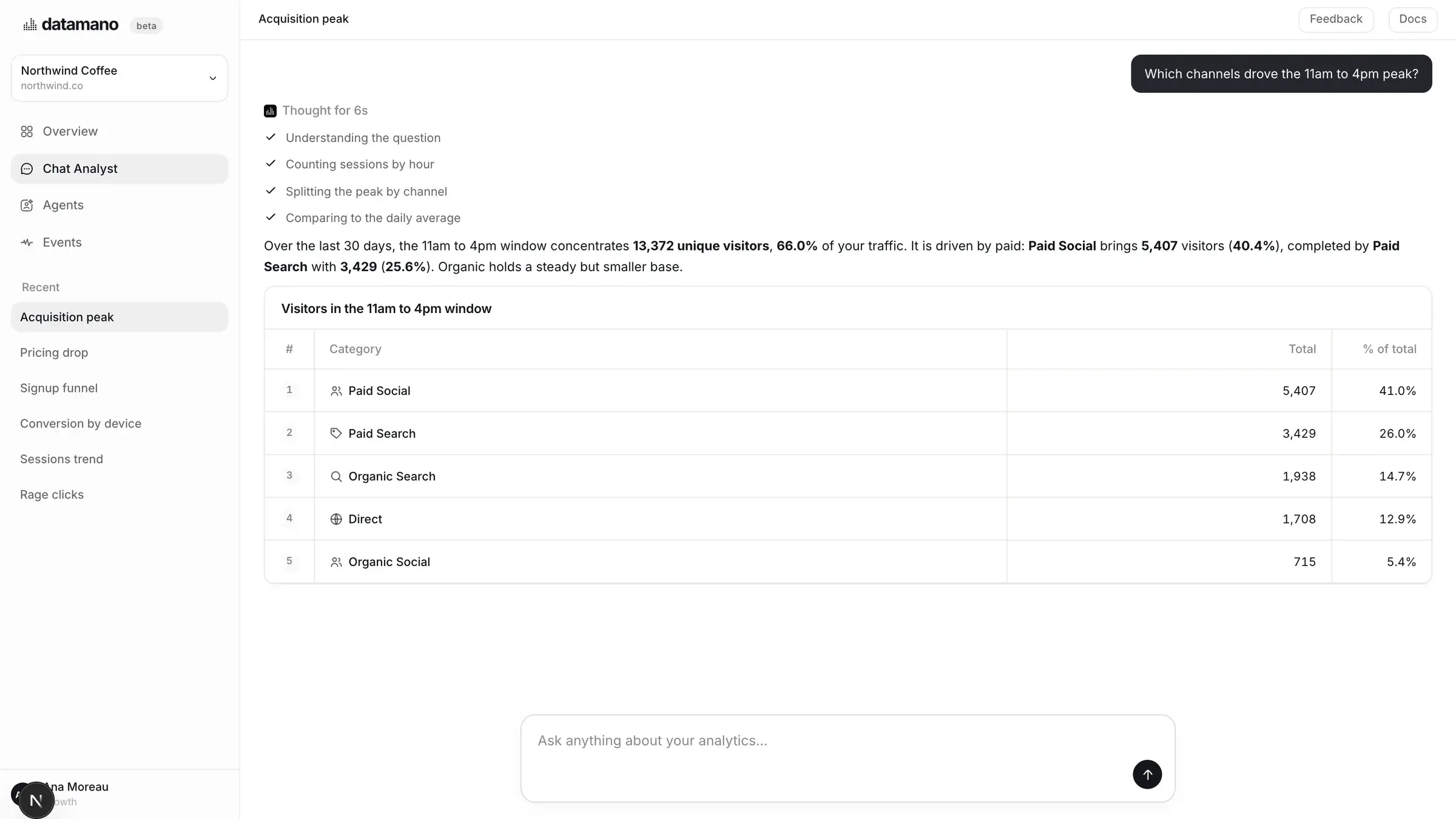
A Datamano answer: the question, the analysis and the chart that goes with it.
2 min
to set up, start to finish
40+
events tracked automatically
0
cookies set by the tracker
200+
checks running continuously
Features

Everything you need, in one place

Purpose-built capabilities that remove the manual work from understanding your website.

EVENTS

Capture everything, configure nothing.

One script records pageviews, clicks, forms, web vitals and technical errors. No tagging plan, no engineering tickets, no gaps in your data.

40+ events tracked out of the box
Rage-clicks and JS errors flagged
Works with WordPress, GTM and Shopify
New session · /pricing
Added to cart
Form abandoned at step 2
Checkout completed
CHAT ANALYST

Ask in plain language, get real answers.

Type the question the way you would ask a colleague. Datamano picks the right metrics, runs the analysis and replies with the chart that matters.

Answers in seconds, not sprints
Every number traceable to its events
Remembers your company context
Chat Analyst
Show me the heatmap for /pricing|
OVERVIEW

See what changed before you look.

Datamano watches your traffic around the clock and surfaces opportunities, anomalies and technical issues, each one quantified in impact.

200+ checks running continuously
Alerts scored by revenue impact
Recommended next step on every finding
OpportunityAug 2
Homepage CTA test is winning

Variant B is converting 18% higher after 6 days, still short of significance. A few more days of traffic should confirm it.

Investigate
AGENTS

Specialist agents, working in the background.

Datamano runs a team of agents behind every question: one reads traffic, one inspects funnels, one attributes revenue, one watches for errors. They pick the right analysis for what you asked, then hand you one clear answer.

Right analysis chosen automatically
Each agent explains its reasoning
Findings merged into a single answer
Traffic agent
scanning sessions
Funnel agent
checking drop-offs
Revenue agent
attributing value
Health agent
watching for errors
How it works

Get started in three simple steps.

Most teams get their first real answer the same afternoon they install Datamano.

Sign in

Connect

Create your workspace and point it at your domain. No credit card, nothing to install on your servers.

Install the tracker

Paste one line of code into your site, or drop it into your tag manager or CMS. Tracking starts the second it loads.

<script src="cdn.datamano.ai/dm.js"></script>

Ask your first question

Visitors in real time, session replays, heatmaps and the Overview all fill up on their own. Ask anything and get the answer with the chart attached.

FAQ

Questions, answered

Everything prospective teams ask before they connect a site.

What is Datamano?

An AI-native alternative to traditional web analytics: instead of building dashboards and digging through charts, you ask a question in plain language and an agent runs the analysis for you. Sessions, funnels, replays and reports are included, with no separate tool for each.

How do I install it, and what does it track automatically?

Add one script tag to your site: directly in the HTML, through Google Tag Manager, or with next/script if you're on Next.js (a WordPress recipe is included too). It starts capturing automatically from there, and powers session replay, heatmaps and funnels from that same data, with nothing to configure twice.

What can I ask the Chat Analyst?

Anything you'd ask a colleague who knows your traffic cold: “Why did /pricing lose visitors last week?” or “Show me the heatmap for /pricing.” Datamano doesn't just report that a number moved. It digs into why, whether that means a channel that dropped off or a step in the funnel that broke, and backs the answer with the chart, heatmap or session replays behind it.

Can I track more than one website?

Yes. Your workspace can hold multiple sites, each with its own tracker, replay history and Chat Analyst, all under the same account. How many depends on your plan.

Is Datamano GDPR-compliant? Does it use cookies?

The tracker doesn't set cookies, and by default it stores nothing in the visitor's browser: a visit is recognised for one day only, from a fingerprint computed on our servers. Visitors are recognised across visits only once they consent (or, by default, in the United States). IP addresses are never stored in clear, only as a salted hash. Collection stops automatically when a browser sends Do Not Track or Global Privacy Control, and if your site shows a consent banner, Datamano follows it: a visitor who declines is never recognised across visits and their session replay stops. Details on our privacy page.

Is Session Replay private?

Yes. Every form field is masked, and Datamano automatically masks anything that looks like an email, phone number, card or bank account number displayed on the page before a replay leaves the browser. Names and postal addresses shown as plain text are not detected automatically: mark those areas with data-dm-mask. Sites that need stricter control can hold every replay until the visitor consents.